← All tutorials 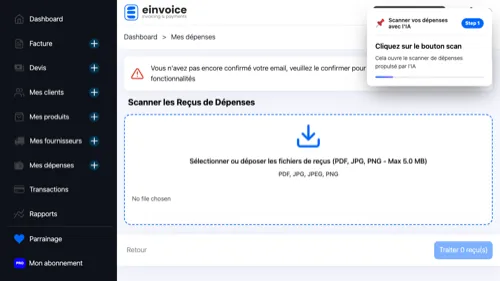 1
1 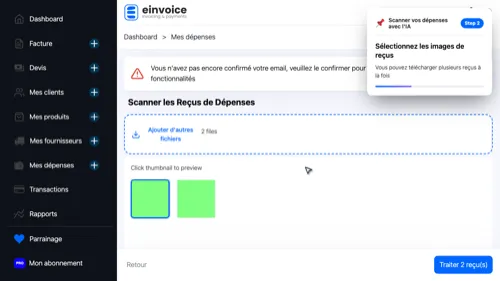 2
2 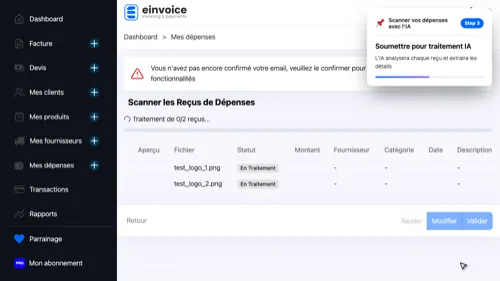 3
3 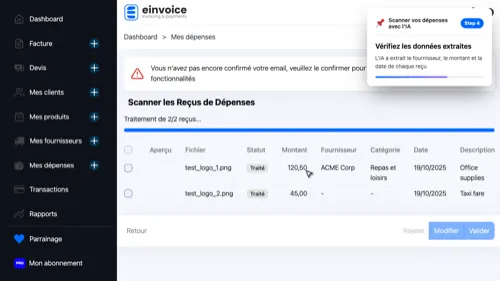 4
4 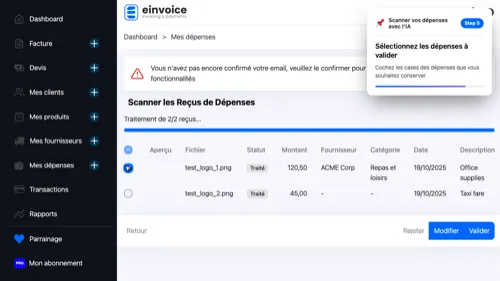 5
5 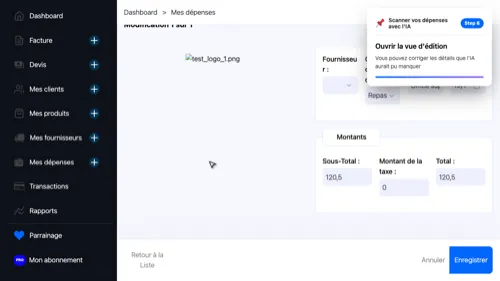 6
6
Scan your expenses
Upload receipt images and let AI extract expense details automatically
- Open Expense Scanner — This opens the AI-powered expense scanner
- Upload Receipts — You can upload multiple receipts at once
- Start Processing — The AI will analyze each receipt and extract expense details
- Review Results — The AI extracted vendor, amount, and date from each receipt
- Select Expenses — Check the boxes for expenses you want to keep
- Edit Expense — You can correct any details the AI may have missed
1 2 3 4 5 6