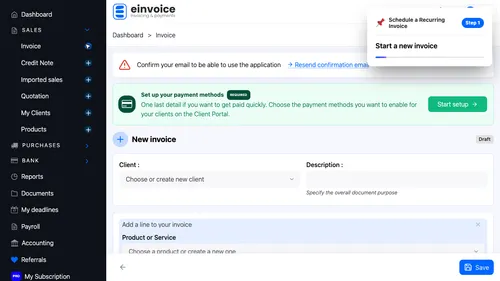
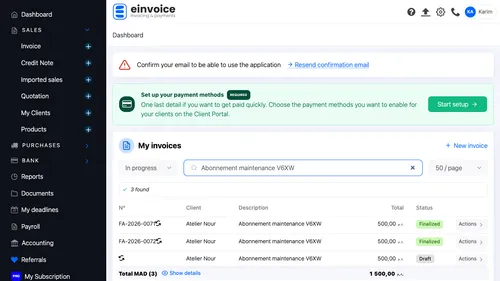
1 Start a new invoice Start a new invoice ▾ ▶ 0:10
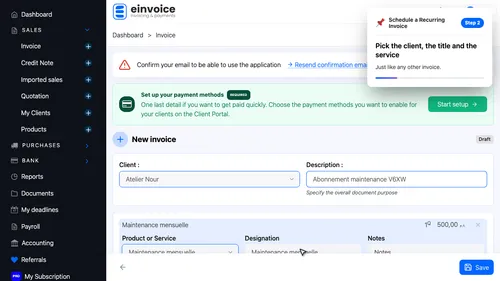
2 The Invoice Content Pick the client, the title and the service. Just like any other invoice. ▾ ▶ 0:14
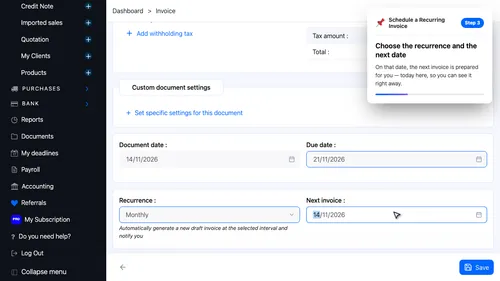
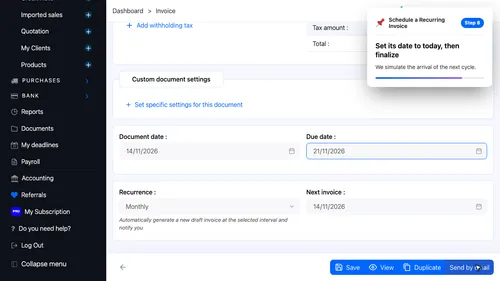
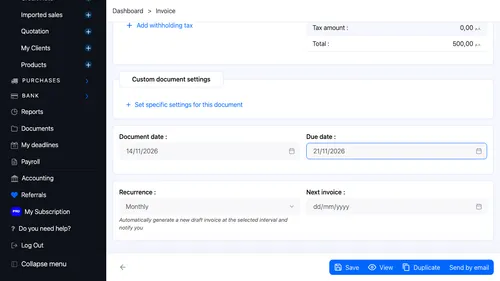
3 The Recurrence Choose the recurrence and the next date. On that date, the next invoice is prepared for you — today here, so you can see it right away. ▾ ▶ 0:24
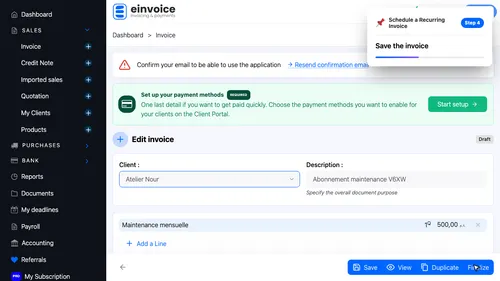
4 Save the invoice Save the invoice ▾ ▶ 0:33
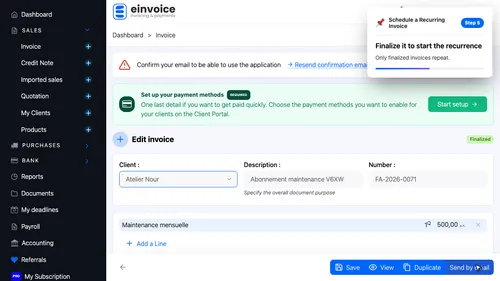
5 Finalize the Invoice Finalize it to start the recurrence. Only finalized invoices repeat. ▾ ▶ 0:36
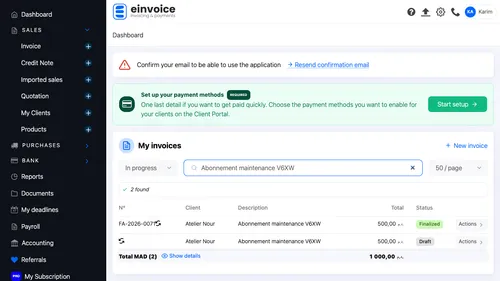
6 The Next Invoice On the due date, the next invoice appears. Just one, as a draft, ready for you to check. ▾ ▶ 0:41
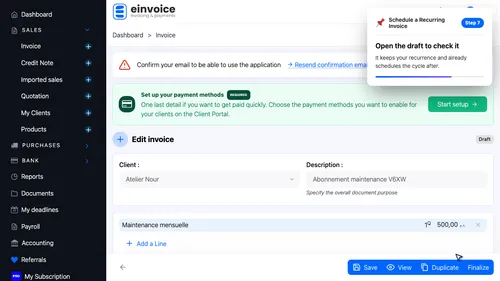
7 The Generated Draft Open the draft to check it. It keeps your recurrence and already schedules the cycle after. ▾ ▶ 0:48
8 The Next Cycle Set its date to today, then finalize. We simulate the arrival of the next cycle. ▾ ▶ 0:54
9 Only One New Invoice Only one new invoice is created. Three invoices in total, not four: each one only generates the next. ▾ ▶ 1:03
10 The First Invoice Is Done The first invoice no longer repeats. Its next date is empty: the new invoice carries the recurrence. ▾ ▶ 1:12