General 1:29
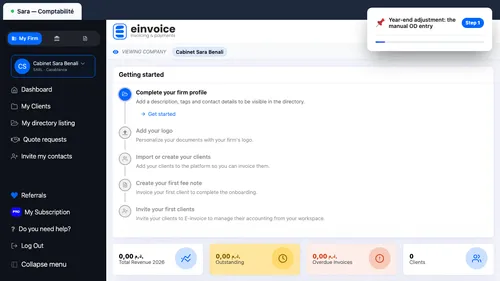
Year-end adjustment: the manual OD entry An adjustment, without the client. Year end: prepaid rent must leave the 2025 expense. Sara posts the entry in Karim's company file, and Karim never opens the app.
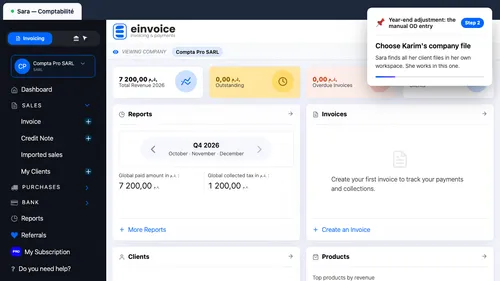
2 Choose Karim's company file Choose Karim's company file. Sara finds all her client files in her own workspace. She works in this one. ▾ ▶ 0:14
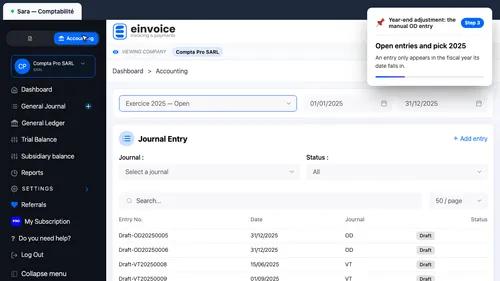
3 Open entries and pick 2025 Open entries and pick 2025. An entry only appears in the fiscal year its date falls in. ▾ ▶ 0:22
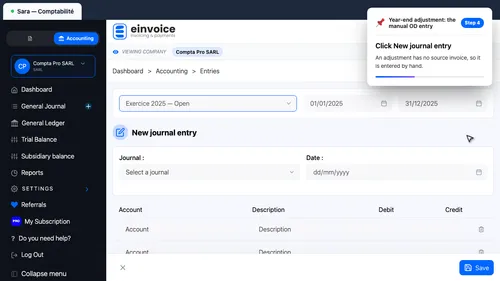
4 Click New journal entry Click New journal entry. An adjustment has no source invoice, so it is entered by hand. ▾ ▶ 0:29
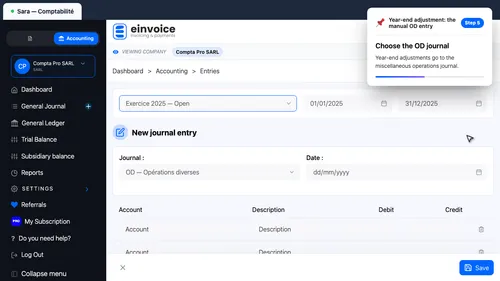
5 Choose the O.D Choose the O.D. journal. ▾ ▶ 0:35
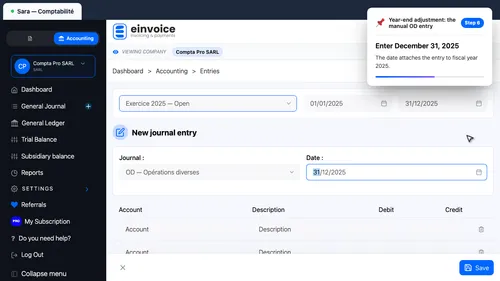
6 Enter December 31, 2025 Enter December 31, 2025. The date attaches the entry to fiscal year 2025. ▾ ▶ 0:38
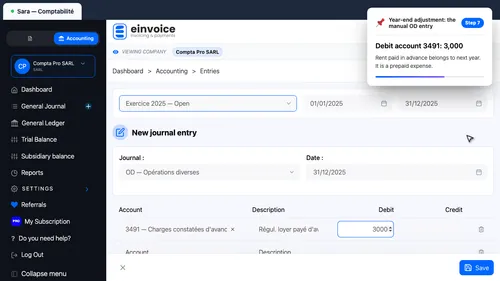
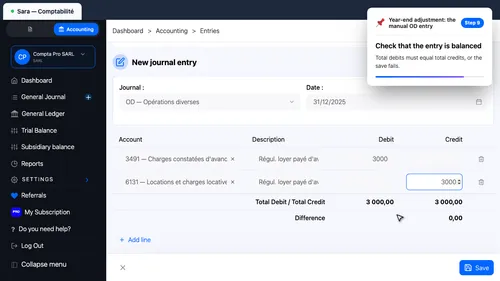
7 Debit account 3491: 3,000 Debit account 3491: 3,000. Rent paid in advance belongs to next year. It is a prepaid expense. ▾ ▶ 0:46
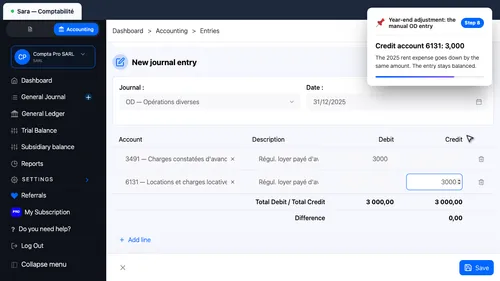
8 Credit account 6131: 3,000 Credit account 6131: 3,000. The 2025 rent expense goes down by the same amount. The entry stays balanced. ▾ ▶ 0:54
9 Check that the entry is balanced Check that the entry is balanced. Total debits must equal total credits, or the save fails. ▾ ▶ 1:04
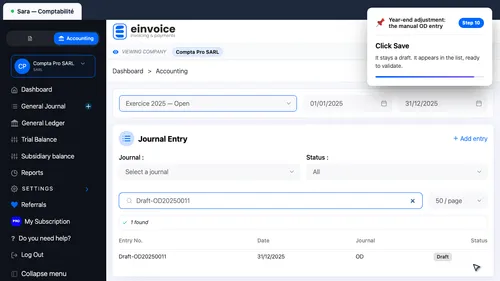
10 Click Save Click Save. It stays a draft. It appears in the list, ready to validate. ▾ ▶ 1:12
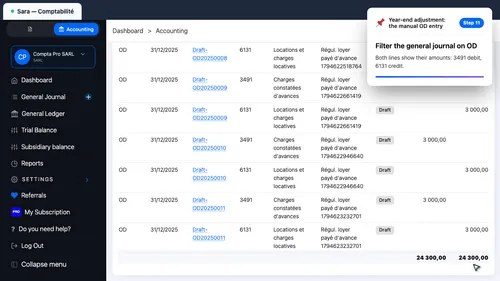
11 Filter the general journal on O.D Filter the general journal on O.D. ▾ ▶ 1:18